


















Full-stack development
Connect the interface, the API and the data in a working application.
- Interface→
- API→
- Database
A training partner for your team.
Hands-on technical training shaped around your people, your projects and the work they need to own.
I’m Ragav. Whether you’re onboarding new hires or growing experienced engineers, I work with you to understand their starting point, agree useful goals and build a programme around real practice.
Designed & delivered by Ragav Kumar V · Live online & onsite
Across teams & industries
First, understand what matters to you.
A topic is one part of the brief. The work ahead, your people and the time you have help shape a useful programme.
A starting point for our conversation
We can explore what learners already know, where they need practice and the work they will join. That helps shape a connected route, with room to ask questions.
A few things we can explore
No finished brief needed. Share what you know, then choose email, WhatsApp or a call.
Designed and delivered by Ragav, with the route agreed for your team.
Your work goals, the learners’ starting point and where they need support. Bring the L&D and engineering perspectives into the conversation.
Connect the curriculum to useful practice. Discuss prerequisites, pace, delivery, available time and the evidence you want to review.
Use questions, attempts and project reviews to discuss understanding and next practice. Agree the handover; learners can reach out afterwards for occasional clarification.
A route we can shape together.
These paths show how the skills can connect. Choose a starting point; the stack, depth and pace follow your team’s needs.
Connect the interface, the API and the data in a working application.
Take an application from a local machine to repeatable cloud delivery.
Turn raw data into useful insights and reliable pipelines. Add AI after the foundations.
New to the web? Start with the browser before the framework.
The habits around the code
Connect testing, version control and productive developer workflows to the work your team is building.
Each course includes prerequisites, a sample curriculum and a practical project. Scope, pace and duration are agreed for your team.
Build a learning path around your team's experience, technology stack, and project goals. Combine foundations, hands-on labs, and a capstone.
Work through a specific skill or challenge with live demonstrations and practical exercises, from accessible interfaces to data pipelines and cloud deployments.
Connect learning with implementation through guided projects, code reviews, and a curriculum adapted to the skills your team needs next.
Unsure which path fits?
Start with the work your team needs to do.
The approach, in practice.
A starting point. A connected curriculum.
Practical work that brings it together.
Sanlam · South Africa · Live online
JavaScript and React. Python and SQL. AWS, Docker and Terraform. A 64-day live online programme connected the pieces through a classroom movie app, then learner-owned insurance capstones.
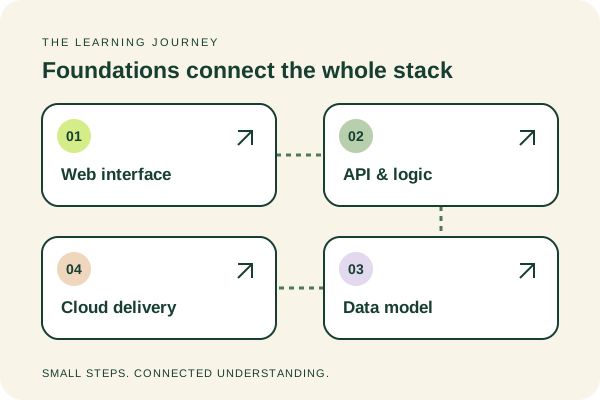
Learners began with the web layer, connecting new concepts through a shared movie application in the classroom.
The programme continued into backend logic and data, linking those parts to the wider application.
Cloud and delivery topics extended the learning beyond the web interface.
Learners went beyond the classroom example to build their own insurance applications and present their work.
This is one programme, with its own curriculum and duration. Your team’s route is shaped around its starting point, goals and available time.
Hear from the learners ↓The learning stays with them.
Highlights from real recommendations.
Open a tile to read the complete message.
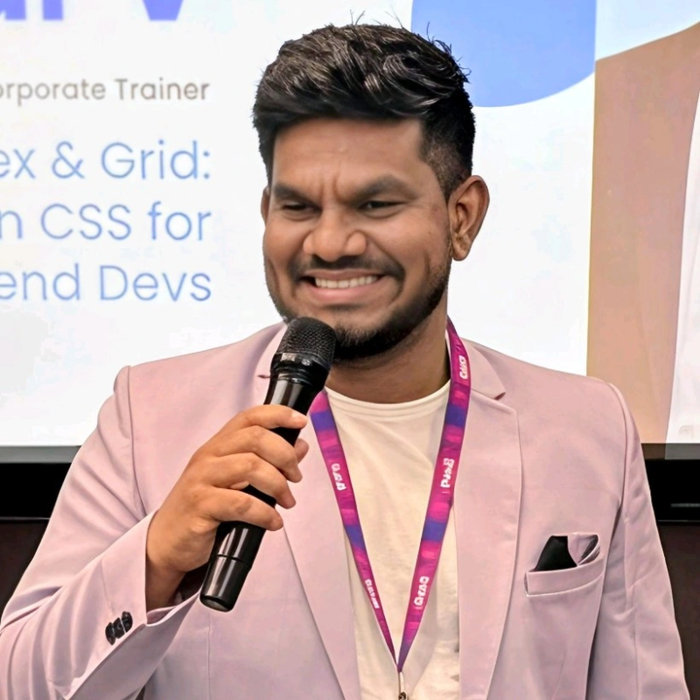
The person you’ll work with.
I want to understand what your team needs before we choose what to teach.
We connect the work ahead with what learners already know, then agree a route they have time to practise. In the classroom, I use familiar stories, clear diagrams and small experiments. Questions and reviewed attempts help me see which ideas need another explanation.
I’ve been training teams since 2016, and I design and deliver the programme myself. My aim is to help learners understand what they’re building and explain their decisions. Afterwards, they can reach out for occasional questions and clarification.
Look closer at the teaching.
Explore a connected project, teaching previews and a sample review. Each shows a part of the approach we can adapt for your team.
A programme is a journey.
Follow one example from an agreed route
to a learner’s own decisions.
01 / Agree the route
Start with what your team needs to build. Connect their starting knowledge, your technology stack and available time to a curriculum with a practical purpose.
The goal shapes the curriculum
A catalogue with filters and saved films
An API and a data model for the same app
Connect the application to its environment
Start with learner experience, your stack and available time. Agree the route before teaching begins.
Explore a React curriculum ↗Representative teaching example · fictional film titles · scope shaped for each team
An agreed curriculum, prerequisites and a shared classroom project.
02 / Understand the idea
Move from a familiar example to the concept behind it. Predict what will happen, try it and explain why. Here, a save button makes React state something you can see.
A small idea, made visible

Try the button. The interface remembers your choice.
const [saved, setSaved] = useState(false);

// A click changes state. React updates the UI.
setSaved(!saved);
Saved is false. Click to change the value and see the result.
Predict → try → explain. Then apply this idea to the next part of the project.
Representative teaching example · fictional film titles · scope shaped for each team
Questions and small attempts show where the explanation needs another pass.
03 / Build the connection
Return to the same application as new topics arrive. State becomes a saved list. Data becomes a catalogue. In a full-stack programme, an API and database connect to the same interface.
The ideas start working together


3 films shown · 0 saved
The interface runs here. In a full programme, learners connect the classroom app to backend logic, data and delivery.
Representative teaching example · fictional film titles · scope shaped for each team
Working features, reviewed practice and reasoning behind the solution.
04 / Take ownership
In a longer programme, learners move beyond the taught example to a capstone of their own. They choose a domain, connect the stack and present how and why it works.
A new brief. Their decisions.
Take the patterns you understand. Decide what your users need, design the data and explain your choices.
Independent capstones suit longer programmes. Shorter programmes use focused practical work.
See how the Sanlam cohort made it their own ↑Representative teaching example · fictional film titles · scope shaped for each team
A project review, strengths, improvement areas and a useful next learning step.
The goal shapes the curriculum
A catalogue with filters and saved films
An API and a data model for the same app
Connect the application to its environment
Start with learner experience, your stack and available time. Agree the route before teaching begins.
Explore a React curriculum ↗Representative teaching example · fictional film titles · scope shaped for each team
A glimpse inside the classroom.
Watch the explanation. Explore the slides. Try an activity. Three ways to take part in the same learning journey.
Watch a teaching moment

A cook makes different meals and listens to the reactions. The ingredients and preparation give us clues about what people might enjoy.
First, make the idea easy to picture.Imaginary meal data illustrates the idea. Real models need suitable data and evaluation. This example draws on Ragav’s actual Scikit-Learn cooking analogy—another subject taught with the same known-to-unknown approach.
Explore the teaching slides
Try a classroom activity
CSS games, a JavaScript walkthrough and a small SQL exercise.
The interactive previews load as you reach this part of the journey.
Explore the JavaScript learning platform ↗These are teaching previews across subjects. Your programme combines the concepts, exercises and project work that fit your team.
For the L&D team.
A plan before training. Evidence while learning.
A useful handover afterwards.
Reporting scope is agreed for your programme. The example below lets you inspect how one attempt can inform feedback and follow-up.
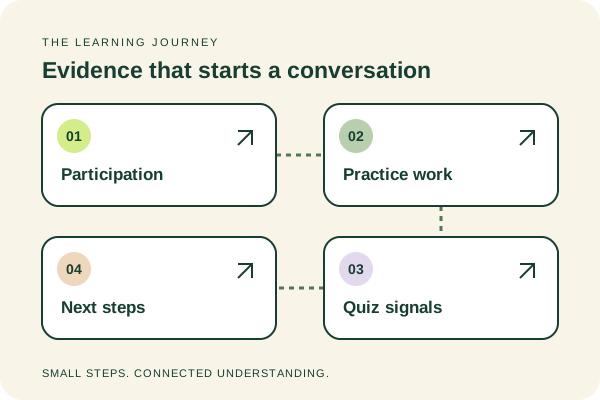
A completed exercise tells part of the story. The explanation, review and next attempt help show where understanding is growing.
Follow one example from the brief to the next practice. Your reviewed answer carries into the handover.
Explore the learning platform ↗A sample review flow, with no real learner data.
A useful learning review starts with a clear brief.
Look at the answer and the thinking behind it.
Agree the starting point, the goal and what to review.
A short quiz helps reveal the idea to discuss.
let price = 120;
const original = price;
price = 100;Choose a response and review the attempt.
The review connects an answer to the idea behind it.
Predict a second value-copy example, run it and explain the result.
Carry the reviewed work forward, with a clear direction.
Try the sample in During. Your reviewed answer will appear here.
Predict a second value-copy example, run it and explain the result.
One answer is a signal, not a judgement of capability. A programme handover also draws on practical work, explanations and, in longer programmes, capstone reviews.
Curriculum, participation, attendance when requested, submissions and feedback can be included. Reporting scope is agreed for each programme.
Training around the world
From local classrooms to teams across borders. Follow the journey, or stop somewhere and look around.
Connections include online training and participant regions. Sanlam and CIC pins mark their head offices. Japanese CIC cohorts trained in Chennai. Place illustrations are decorative.
Online books & teaching notes
A look at the explanations behind the training.
Explore Ragav's published learning notes.
A Comprehensive Guide to Python Programming
Read the online guideUnlock the Power of JS for Web Development
Read the online guideElevate your styles with modern CSS methodologies and frameworks.
Read the online guideAn in-depth guide to building semantic and accessible web pages.
Read the online guideCreate reactive and efficient web applications using Vue.js.
Read the online guideStories, examples and a path from familiar ideas to new concepts.
Browse all teaching notes ↗Before we talk.
Still shaping the requirement?
That's a good place to start.
Yes. Bring the work your team needs to do, what learners already know and any time or delivery constraints. We can use that starting point to choose the foundations, practical work and review points together.
We discuss your team’s starting knowledge and the work you want them to practise. Then we agree the curriculum, prerequisites, pace and how the work will be reviewed. Focused exercises suit shorter engagements; a learner-owned capstone can be scoped for a longer programme.
Around 20 learners is ideal for individual attention. Cohorts of around 30 are also workable; the scope, pace and group size are agreed before training.
Yes. The same approach can be adapted for engineers deepening their existing skills, moving to another stack or tackling a specific technical challenge.
Duration depends on starting knowledge, the depth of the curriculum, contact hours and project goals. Shorter programmes use focused exercises; longer programmes can include an independent capstone.
Both. Live online training is available to teams worldwide. Onsite delivery can be arranged in India or overseas, with travel and accommodation agreed during planning.
Learners can reach out through LinkedIn, WhatsApp or a call after training for occasional questions and clarification. Programme reporting and any handover are discussed upfront so your team knows what to expect.